Video Stream (RTSP)
In addition to VMS systems support, QbProtect allows video player clients to directly consume a rendered point cloud video stream using the RTSP protocol. The demonstration of video stream consumption using VLC player is shown in Figure 1 below.
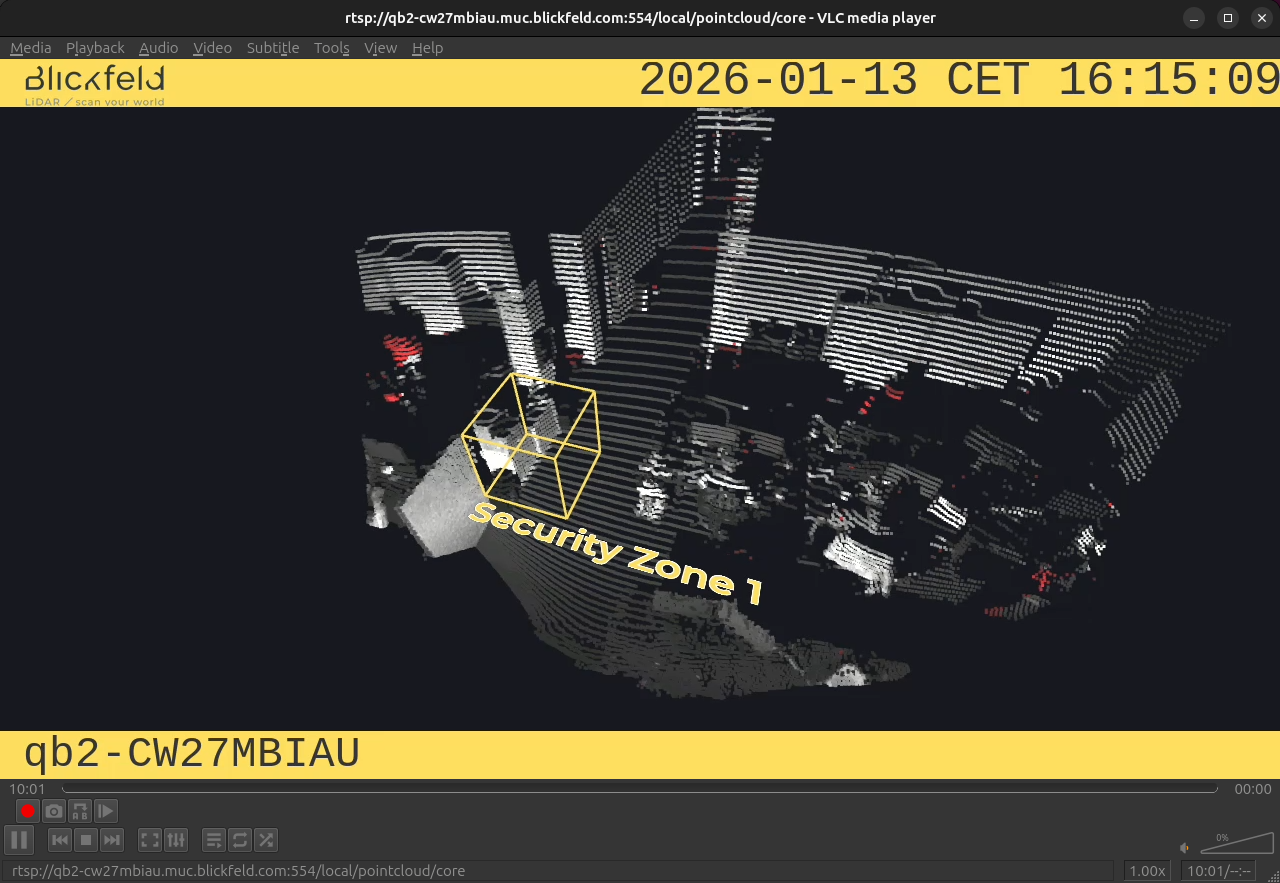
|
The perspective of the RTSP video stream can be synchronized with the one configured in the WebGUI. For that, navigate to the Viewer page of the QbProtect WebGUI, configure the desired view perspective, and apply the keyboard shortcut Shift+V. |
|
The RTSP video stream is individual per sensor source in the sensor setup and is not affected by distributed swarm configurations. |
RTSP transports
| Transport | Supported | Port | Description | Encrypted |
|---|---|---|---|---|
RTP/AVP (UDP) |
✅ |
554 / dynamic |
RTP/RTCP over dynamic UDP ports, RTSP control over TCP 554 |
❌ |
RTP/AVP/TCP (interleaved) |
✅ |
554 |
Both RTP/RTCP and RTSP control are interleaved inside the TCP connection |
❌ |
RTSPS |
❌ |
443 |
RTSP carried over TLS |
✅ |
RTSP over HTTP |
✅ |
80 |
RTSP tunneled over HTTP GET/POST |
❌ |
RTSP over HTTPS |
✅ |
443 |
RTSP tunneled over HTTPS. Not supported by VLC/GStreamer/FFmpeg clients. |
✅ |
|
The QbProtect does not support simultaneous RTSP connections over plain and tunneled transports. The conflicting connection type will be actively rejected by QbProtect. Connections from multiple RTSP clients, when each connection utilizes either exclusively tunneled (RTSP over HTTP or RTSP over HTTPS) or exclusively plain RTSP transports (UDP or TCP interleaved), are supported |
Please refer to the subsection below to find out how to establish the RTSP stream in the desired transport mode.
RTSP streaming
The RTSP video stream URL of the following generic format: rtsp://user:key@qb2-ABC123XYZ.muc.blickfeld.com:port/local/pointcloud/core may be used by various clients for the consumption of the RTSP video stream. The format of the URL may vary depending on the desired RTSP transport. Examples of RTSP URLs and how they are used with selected video clients are shown in the subsections below.
|
VLC (GUI)
Before opening the RTSP stream, please make sure to select the correct Demuxer configuration for the desired RTSP Transport via Tools → Preferences → Show settings → All → Input / Codecs → Demuxers → RTP/RTSP, as shown in the Figure 2 below.
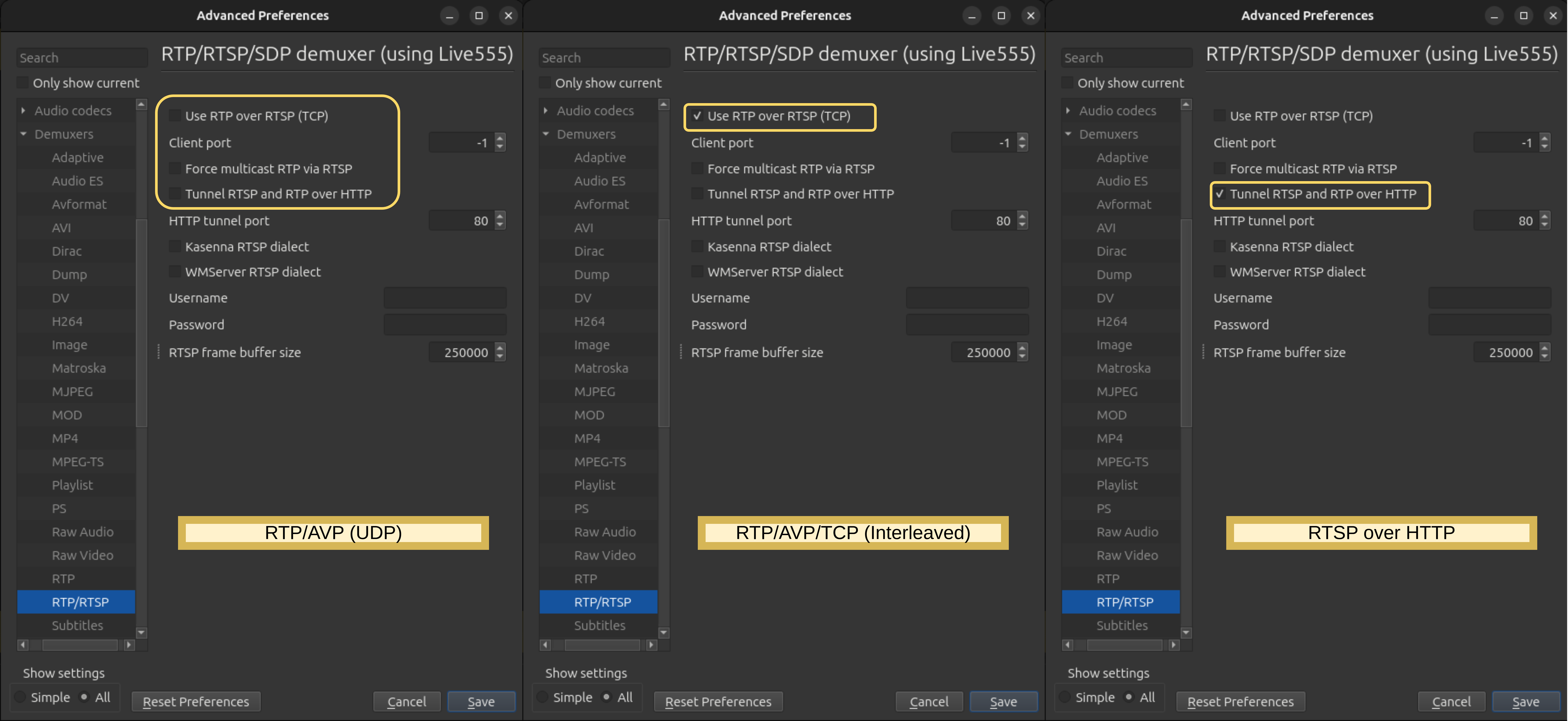
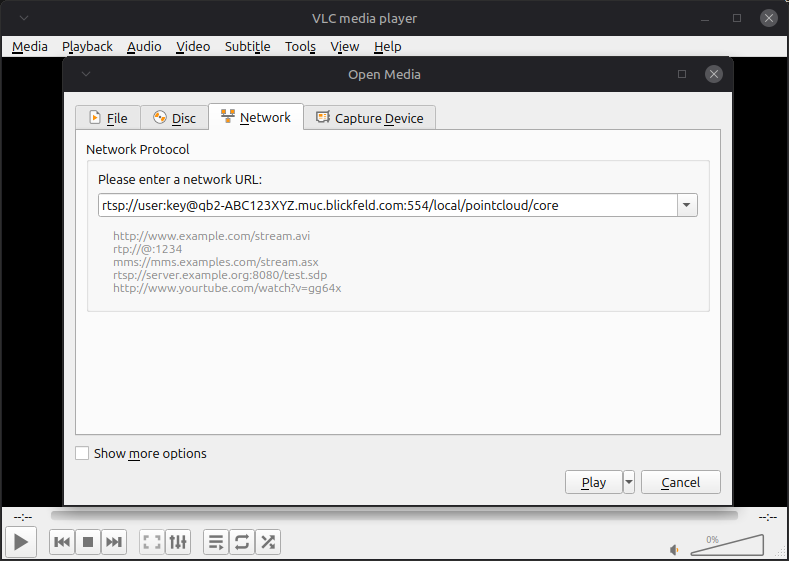
Use RTP over RTSP (TCP) is enabled 3. RTSP over HTTP - only Tunnel RTSP and RTP over HTTP is enabledRTSP URLs can be used via Media → Open Network Stream → Play , as shown in the Figure 3 below.
-
RTP/AVP (UDP) and RTP/AVP/TCP(interleaved)
rtsp://user:key@qb2-ABC123XYZ.muc.blickfeld.com:554/local/pointcloud/core -
RTSP over HTTP
rtsp://user:key@qb2-ABC123XYZ.muc.blickfeld.com:80/local/pointcloud/core
GStreamer (CLI)
-
RTP/AVP (UDP)
$ gst-launch-1.0 -v rtspsrc location=rtsp://user:key@qb2-ABC123XYZ.muc.blickfeld.com:554/local/pointcloud/core protocols=udp ! decodebin ! autovideosink -
RTP/AVP/TCP(interleaved)
$ gst-launch-1.0 -v rtspsrc location=rtsp://user:key@qb2-ABC123XYZ.muc.blickfeld.com:554/local/pointcloud/core protocols=tcp ! decodebin ! autovideosink -
RTSP over HTTP
gst-launch-1.0 -v rtspsrc location="rtsph://qb2-ABC123XYZ.muc.blickfeld:80/local/pointcloud/core" user-id="user" user-pw="key" onvif-mode=true onvif-rate-control=true ! decodebin ! autovideosink
FFmpeg (CLI)
-
RTP/AVP (UDP)
ffplay -rtsp_transport udp rtsp://user:key@qb2-ABC123XYZ.muc.blickfeld.com:554/local/pointcloud/core -
RTP/AVP/TCP(interleaved)
ffplay -rtsp_transport tcp rtsp://user:key@qb2-ABC123XYZ.muc.blickfeld.com:554/local/pointcloud/core
VMS
VMS systems provide vendor-specific generic RTSP drivers (direct RTSP streaming) or ONVIF conformant drivers (RTSP stream is obtained via URL from ONVIF).
|
Please refer to the VMS section to find out how to add QbProtect to your security system via ONVIF drivers for various supported VMS systems. The direct RTSP video streaming (without ONVIF) does not forward any security-related events into VMS. |
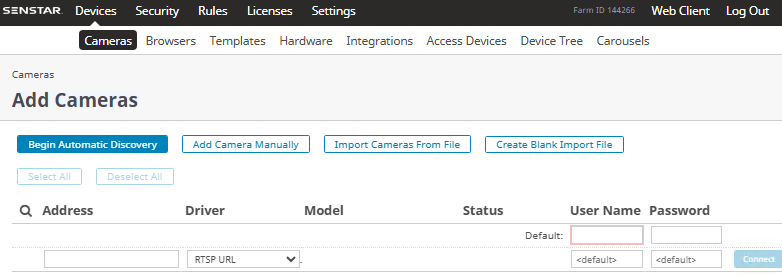
The selection of the generic RTSP driver for direct RTSP streaming is exemplified for Senstar Symphony in the Figure 4 below.
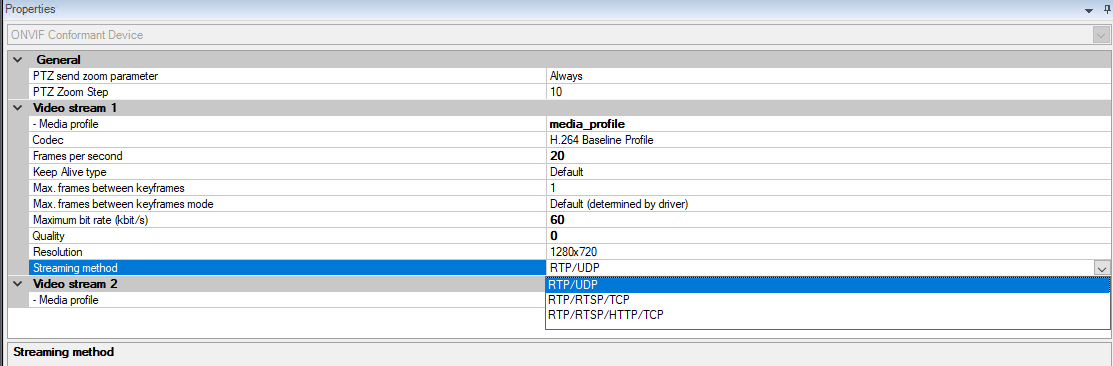
The RTSP transport is usually selected manually or from the provided list of media profiles. The exemplification of RTSP transport selection for Milestone XProtect Management Client is depicted in the Figure 5 below.
RTSP diagnostics
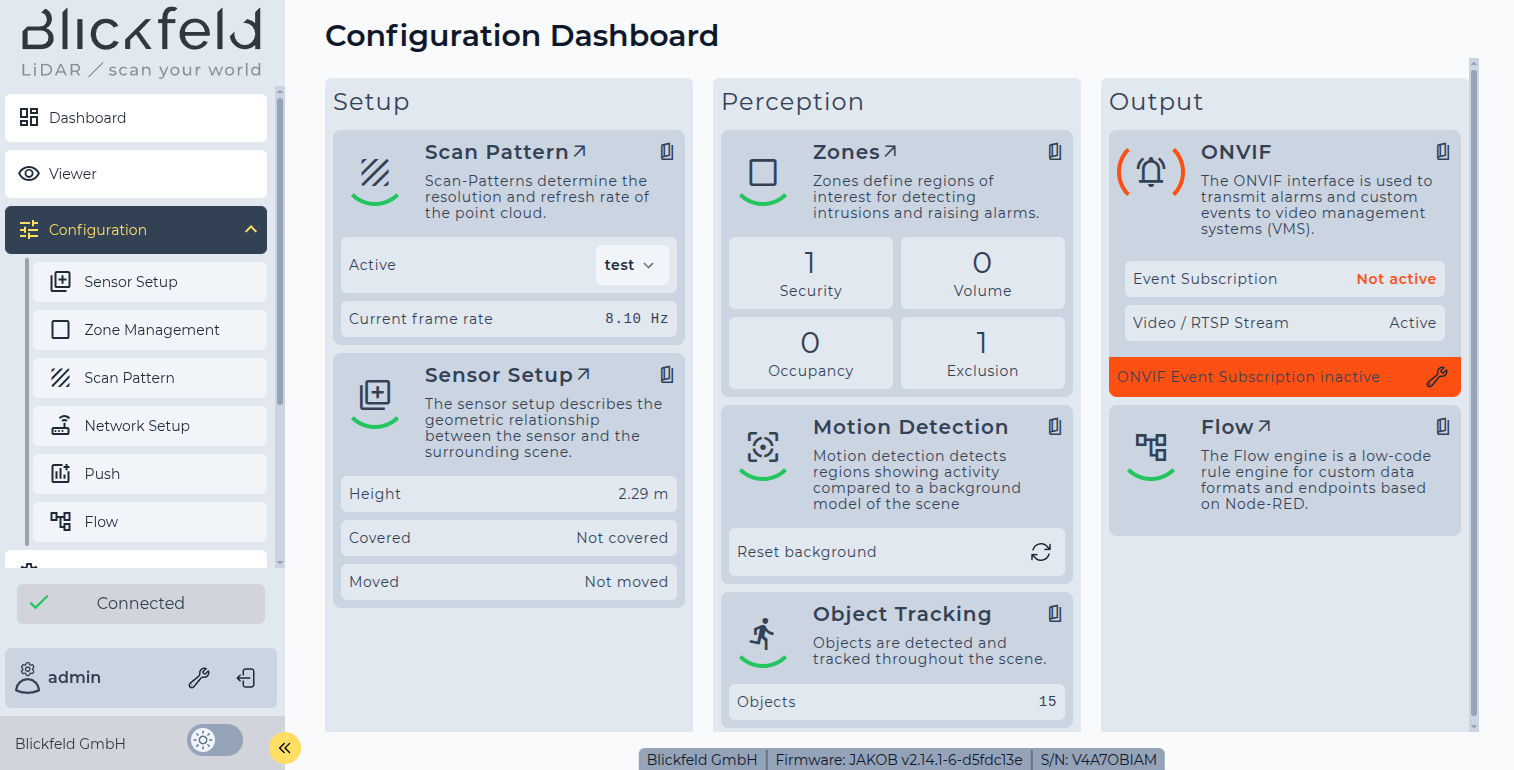
The active RTSP client connection is reflected by ONVIF widget in QbProtect Configuration dashboard, as shown in Figure 6 below.
Information about the QbProtect RTSP health state, the number of connected clients, and video rates can be found in System → Diagnostics → Integrations → Video, as shown in Figure 7 below.
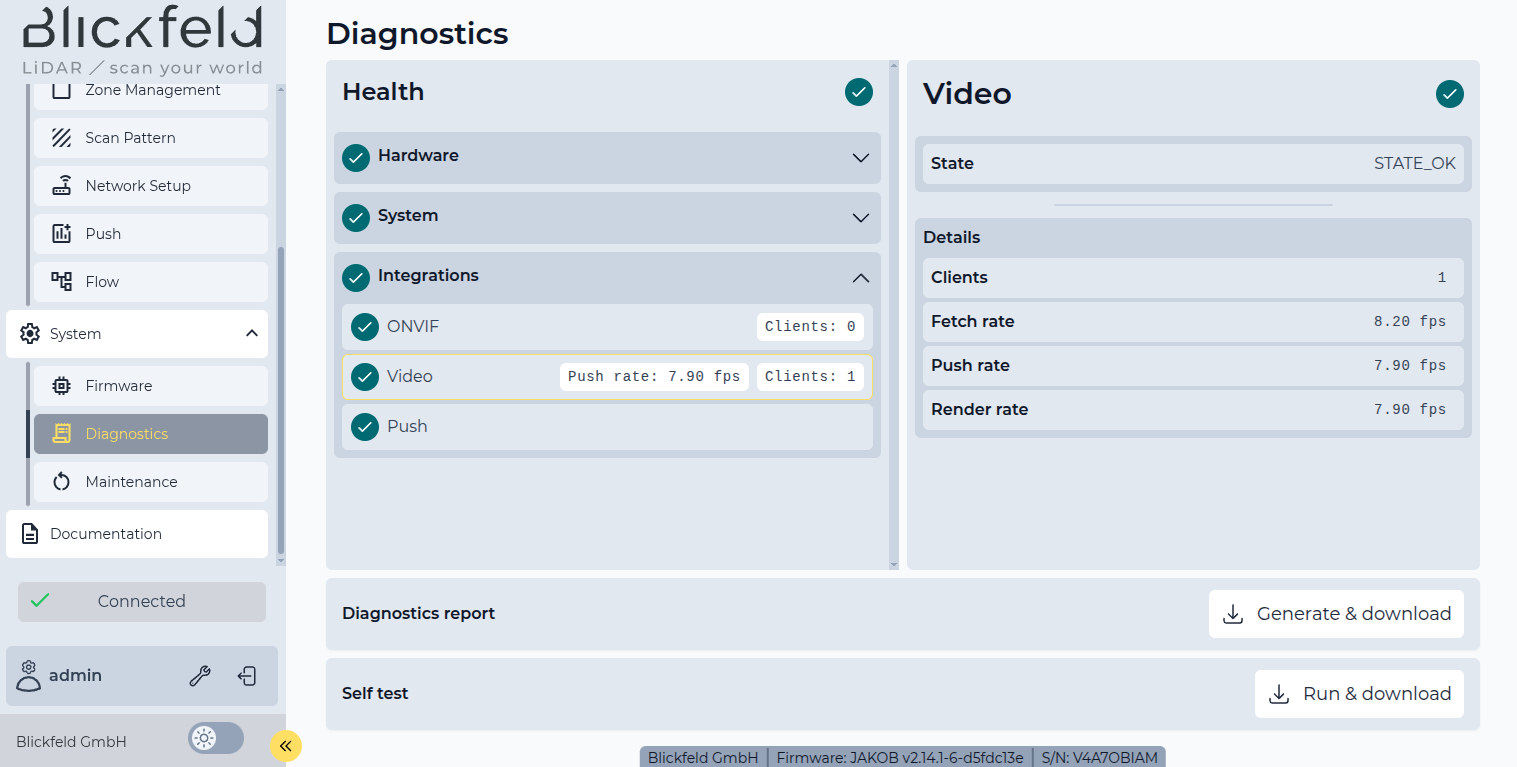
In this example, the QbProtect scan pattern frame rate was set to 8 Hz and a single RTSP client is connected to QbProtect.
-
The
Fetchrate indicates the rate at which raw point-cloud frames are consumed from the internal processing pipeline -
The
Renderrate indicates the rate at which video frames are produced from raw point-cloud frames -
The
Pushrate indicates the rate at which rendered video frames are pushed into the video streaming pipeline
|
The information about Video health is also available via gRPC API