Quick Setup
|
Please ensure that you have user management enabled at your QbProtect and that all steps below are performed under the authorized user. |
The following steps are involved to quickly start with QbProtect integration via ONVIF:
-
Click
Configurationto navigate to the configuration dashboard → Find theONVIFinterface in theOutputColumn -
By default, ONVIF functionality is not enabled, which is indicated by the corresponding message in the ONVIF widget
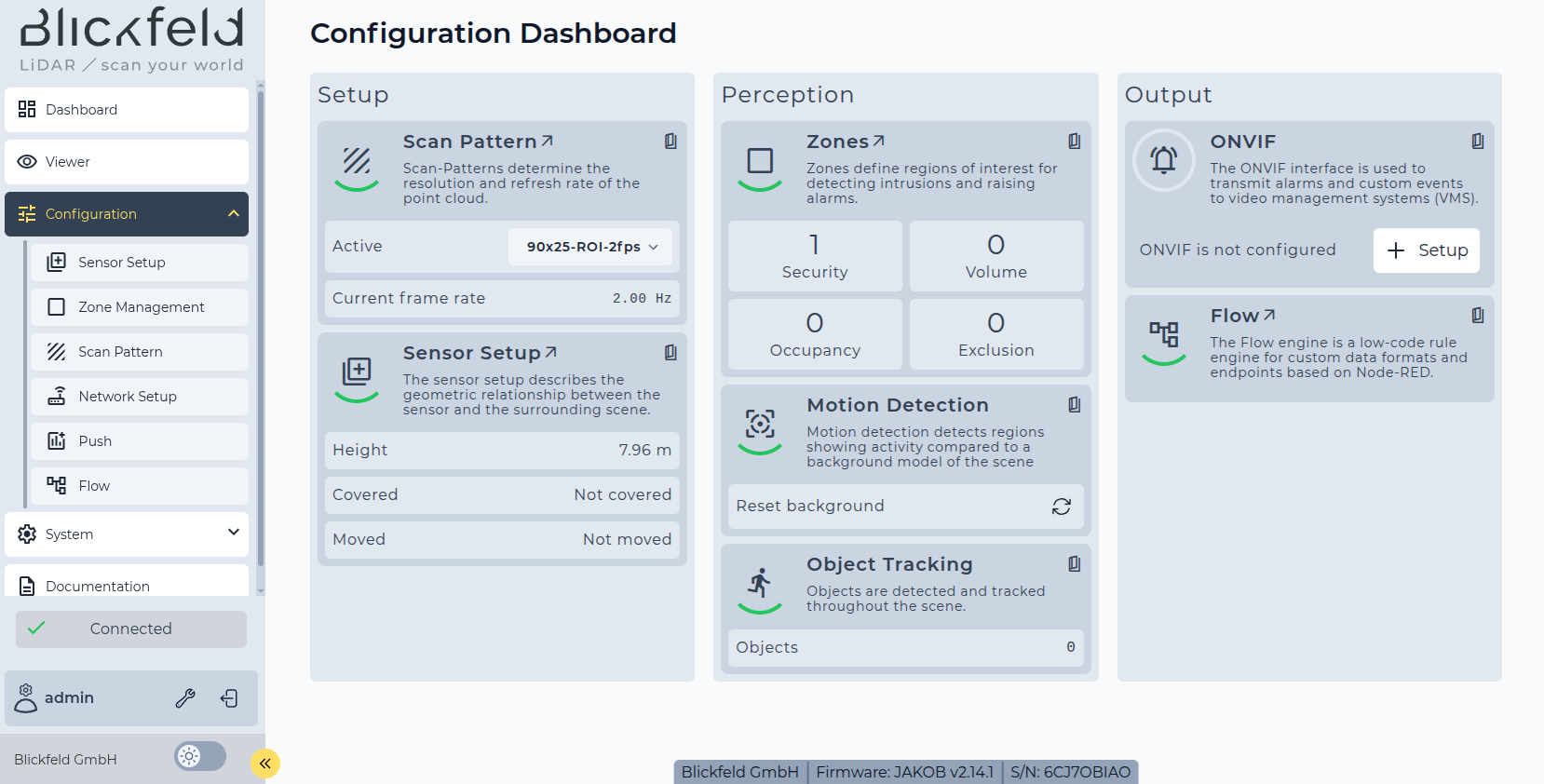 Figure 1. The ONVIF interface: non-configured message in QbProtect configuration dashboard
 -
Click
Setupto enable ONVIF and automatically generate an ONVIF application key associated with your user. Please refer to the User authentication subsection for more information. Now the ONVIF interface is fully enabled and can be used by VMS systems or video players.The resulting application key (
Password) in combination with the account login (Username) can be used, when prompted, as credentials pair (login/password) in the VMS or video player.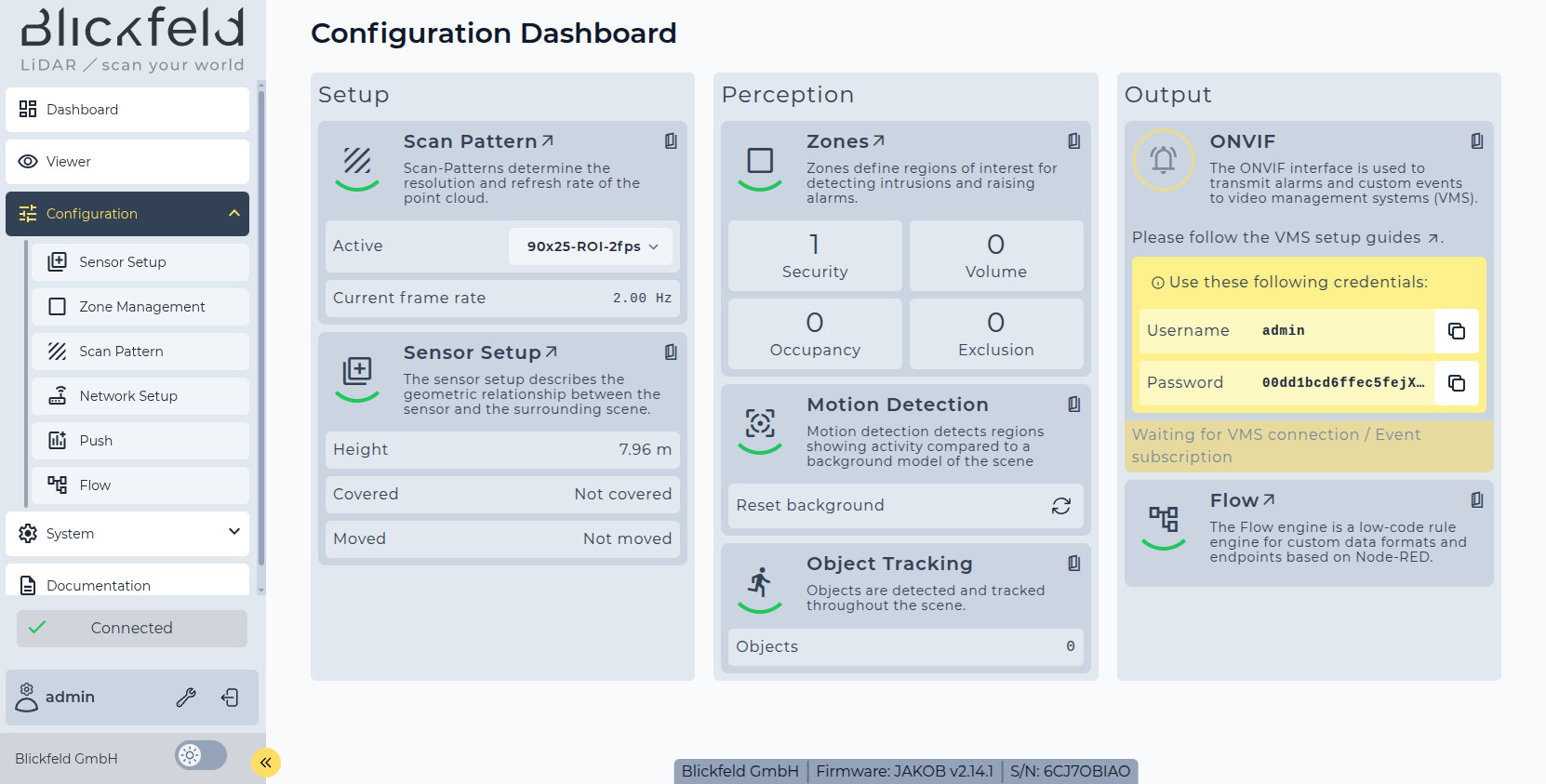 Figure 2. The ONVIF interface: ONVIF application credentials in QbProtect configuration dashboard
 -
When VMS client is disconnected, the ONVIF widget will indicate that RTSP/ONVIF is inactive as shown in the Figure below.
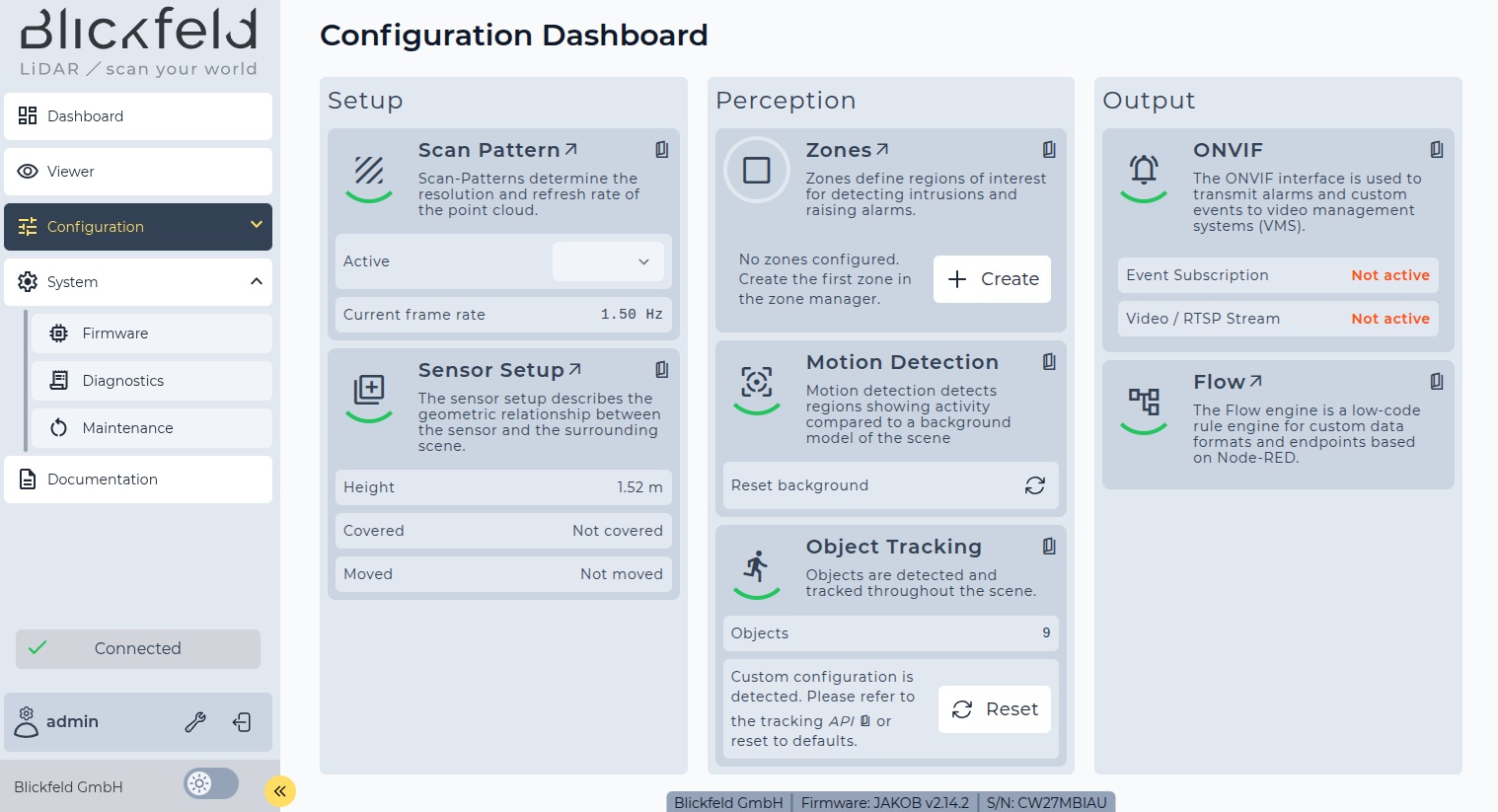 Figure 3. The ONVIF interface is enabled: ONVIF and RTSP are ready to be used
 -
Proceed with the VMS integration guides (including the configuration of security Events) or with RTSP streaming guides (if security events are not required).
The direct RTSP video streaming (without ONVIF) does not forward any security-related events into VMS.
-
If the integration of QbProtect into the VMS was performed successfully, the ONVIF widget will indicate that the RTSP stream and Event Subscription (only for active Pull-Point) are active as shown in the Figure below
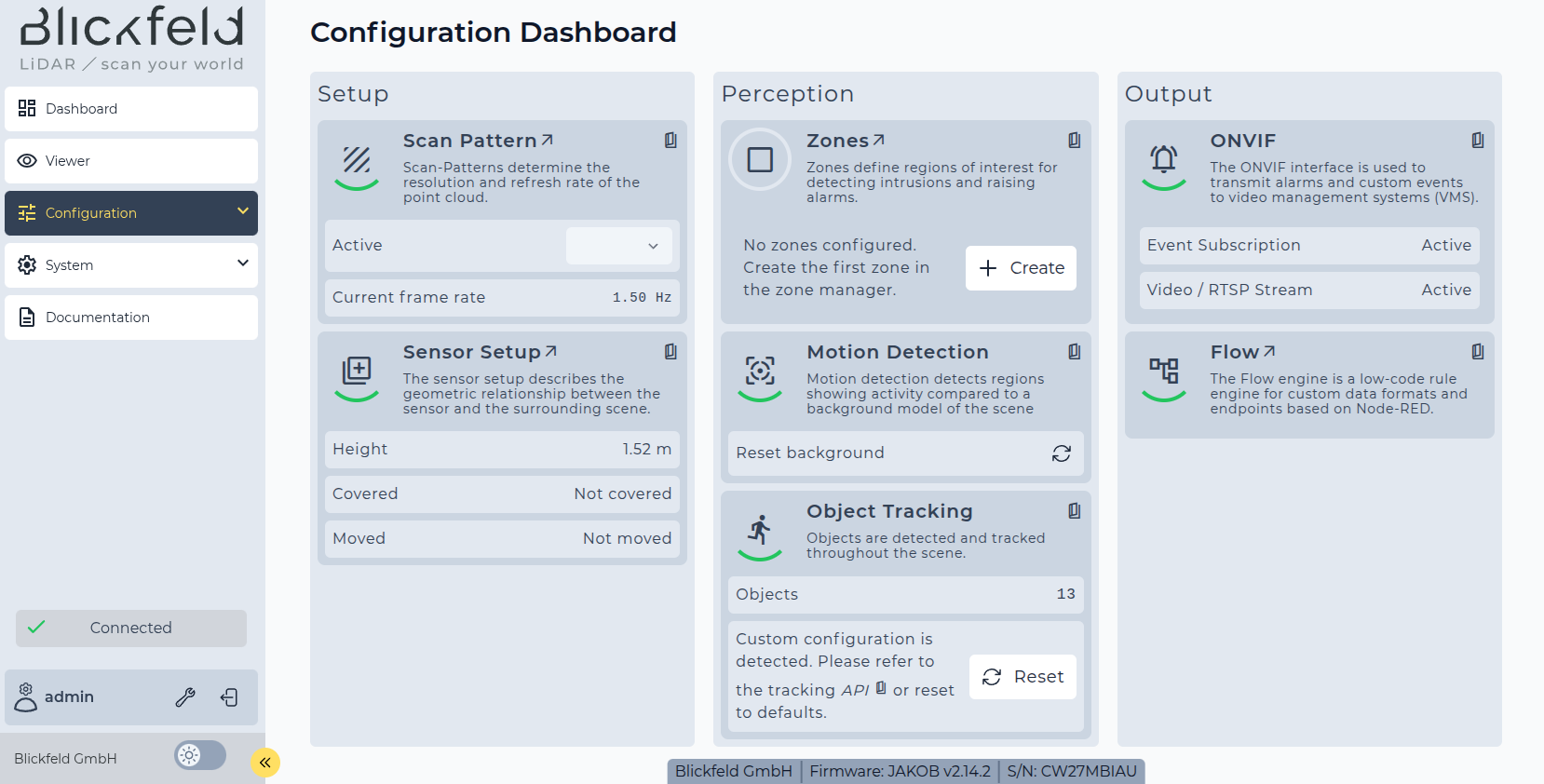 Figure 4. The ONVIF interface: successful integration of QbProtect into VMS
 -
Information about the ONVIF/RTSP states, the number of connected clients, and video rates can be found in
System→Diagnostics→Integrations→ONVIFandVideocorrespondingly.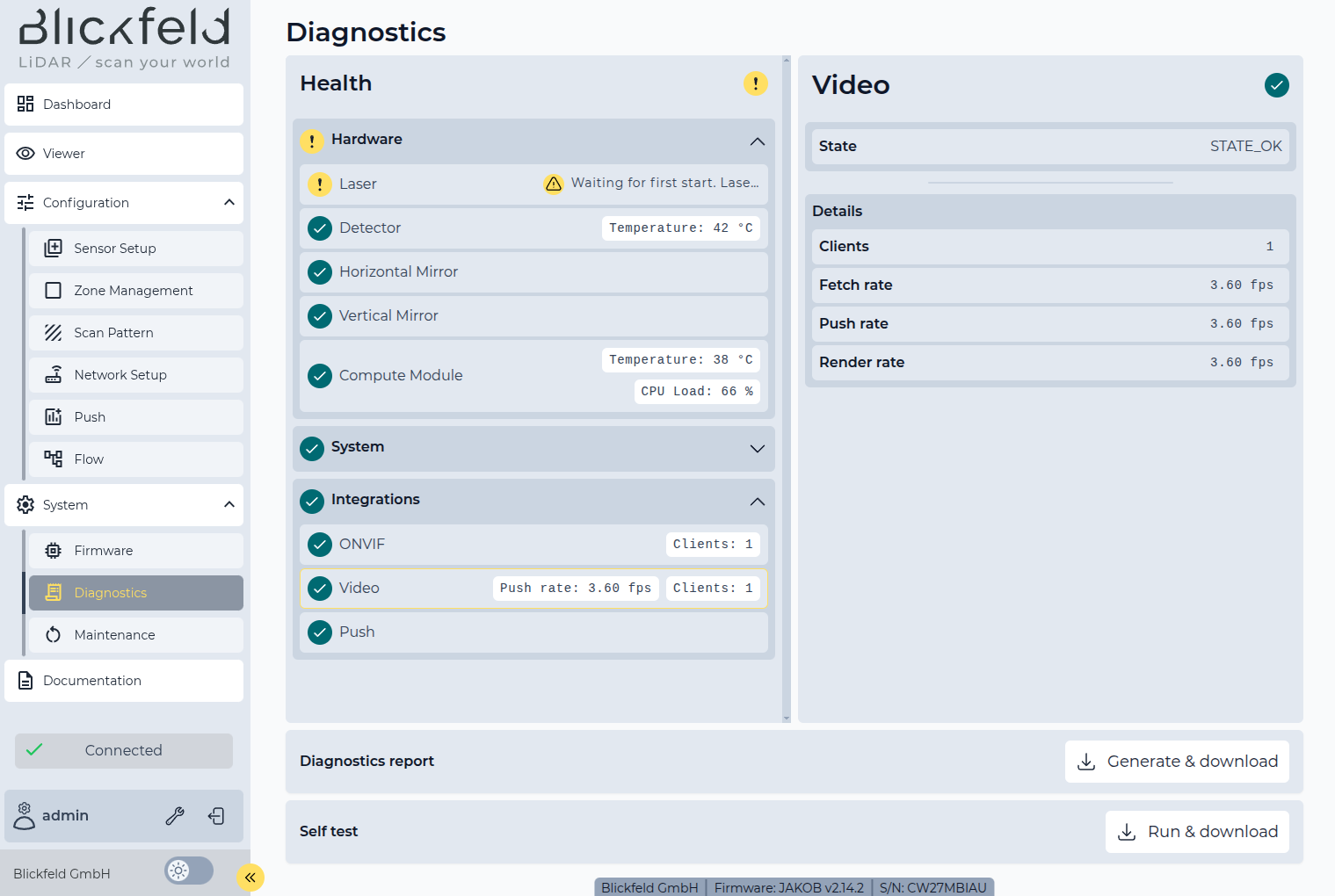 Figure 5. The ONVIF interface diagnostics: active ONVIF and RTSP client connections
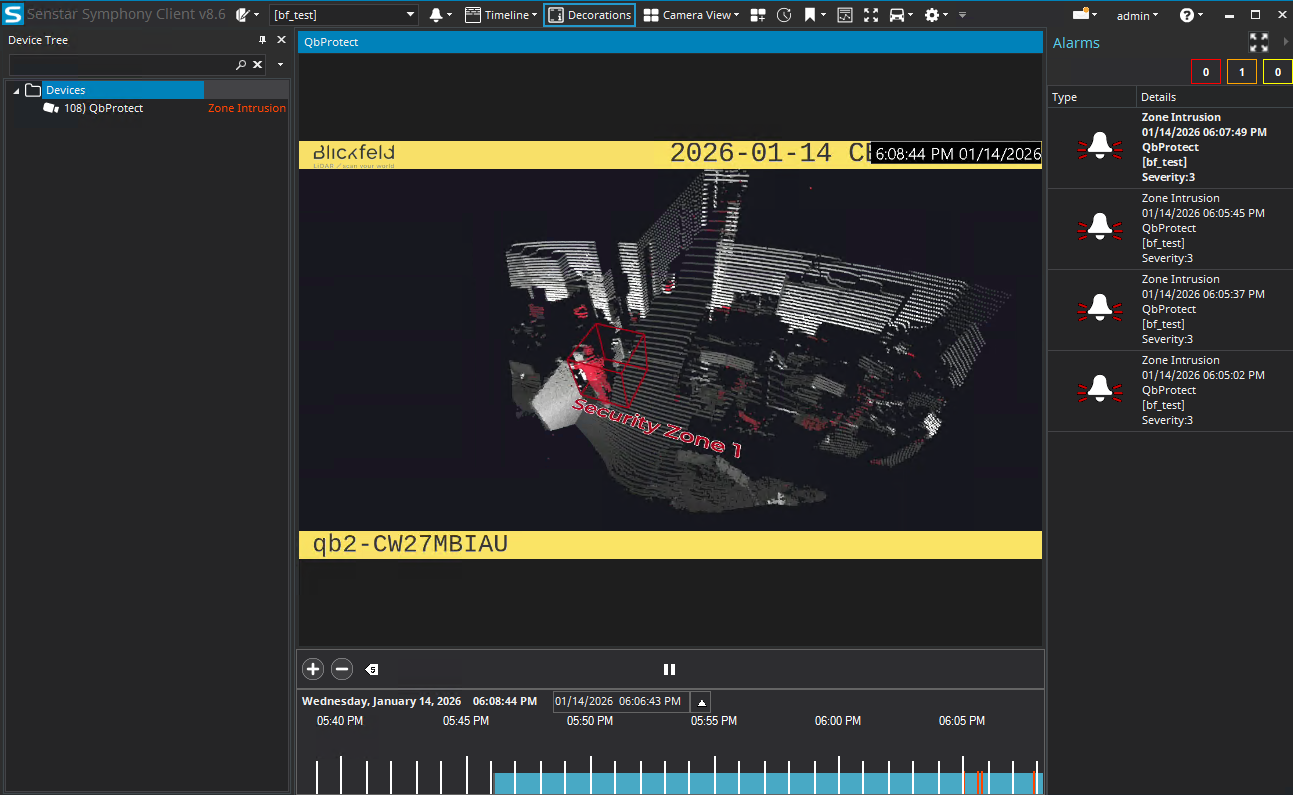
The functional integration of QbProtect into Senstar Symphony is shown in the Figure below.